01
ONE DAILY SHOW
Podcast build, done properly.
Create the show, drop in the daily audio, set the intro bed cue once, and let the build run. Silence trimmed, segments stacked, breakers placed, exports ready — no babysitting.
AudioSnag Mac is the desktop production layer for daily audio teams. Drop in show audio, automate the repeat jobs, export clean files, and move on before the next meeting appears out of nowhere.
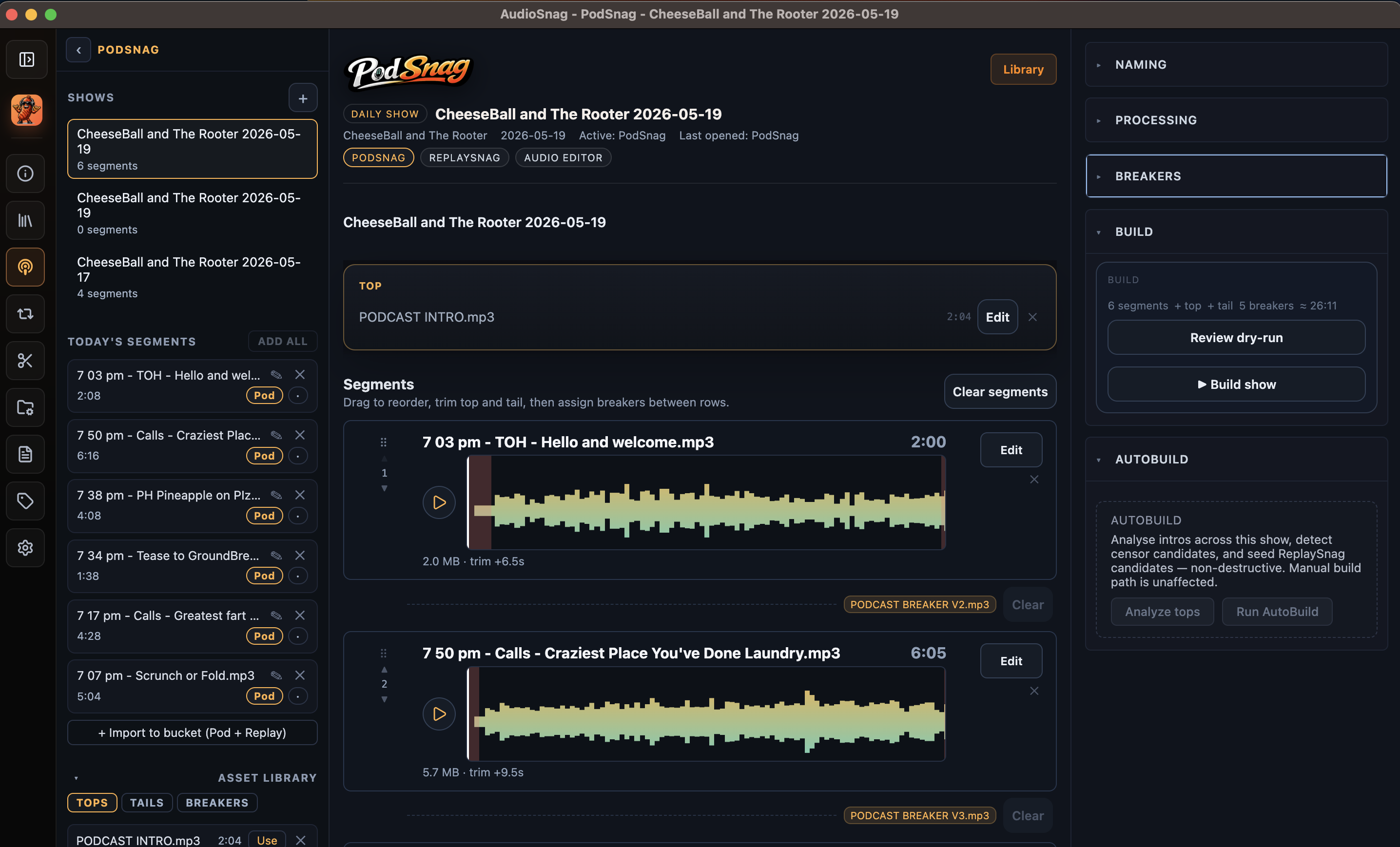

The highest-value function is automated assembly of daily deliverables. Set the show up once, lock in the moving parts, then let AudioSnag Mac handle the repeat assembly every single day.
Create the show, drop in the daily audio, set the intro bed cue once, and let the build run. Silence trimmed, segments stacked, breakers placed, exports ready — no babysitting.
AudioSnag Mac works around local audio, local projects and repeat production habits. The Pro Tools rig stays free for the creative work. AudioSnag handles the mundane daily jobs.
ReplaySnag turns talk breaks into playout-ready cuts with consistent trims, sweepers, naming and rotations. The kind of job that should never eat a Saturday morning again.
AudioSnag Mac is modular. Each production job has its own focused workspace — podcast, replay, editor, batch, reporting, tagging — while sharing project memory, asset pools, naming rules and export defaults.
Build daily podcasts from talk breaks, tops, tails and breakers. Drag to reorder, trim per-segment, set crossfades and intro ducking, dry-run the build, then export with show + date naming.
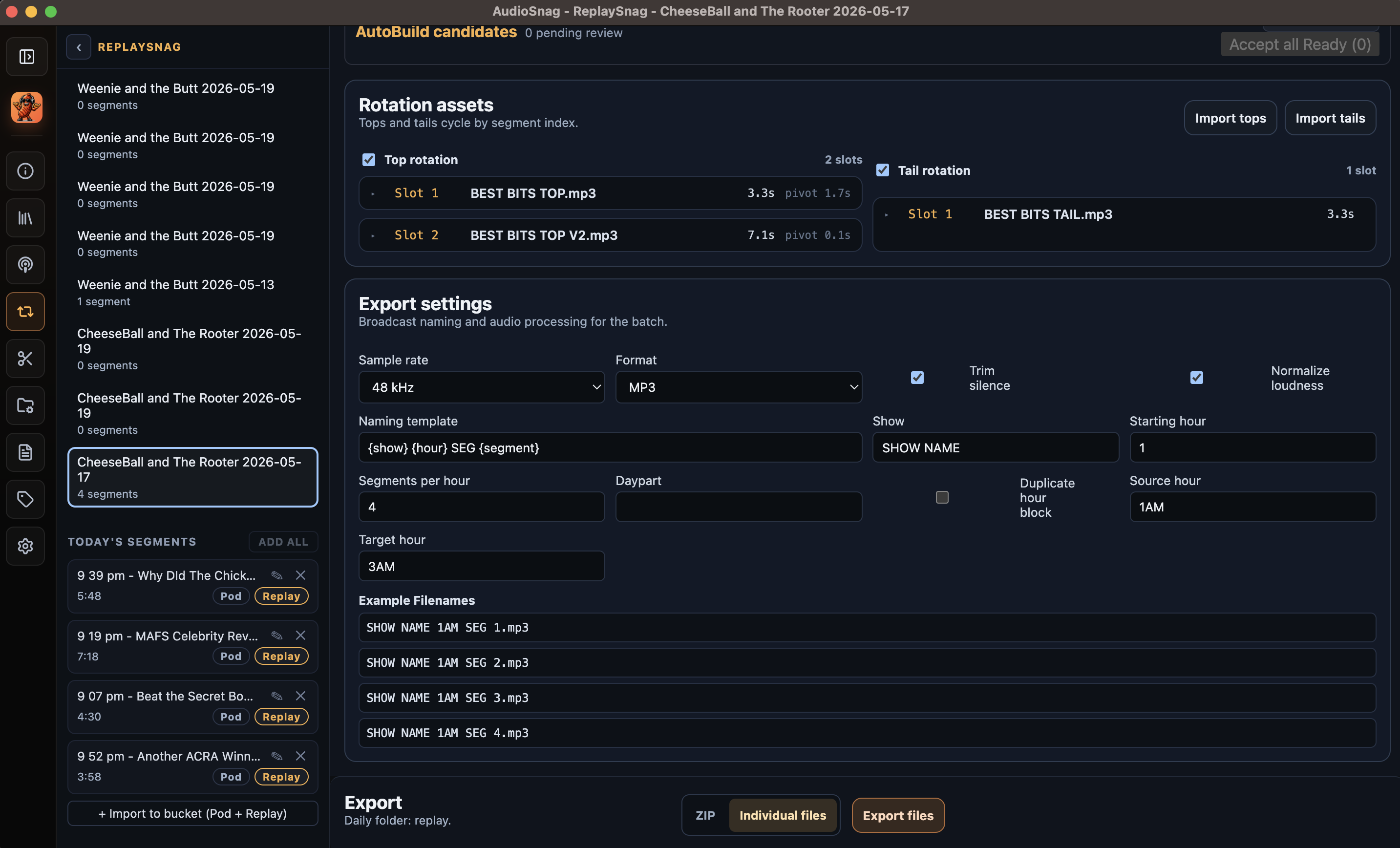
Turn raw breaks into broadcast-ready replays. Top & tail rotations cycle by segment index, station naming follows your template, and export goes out as individual files or ZIP.
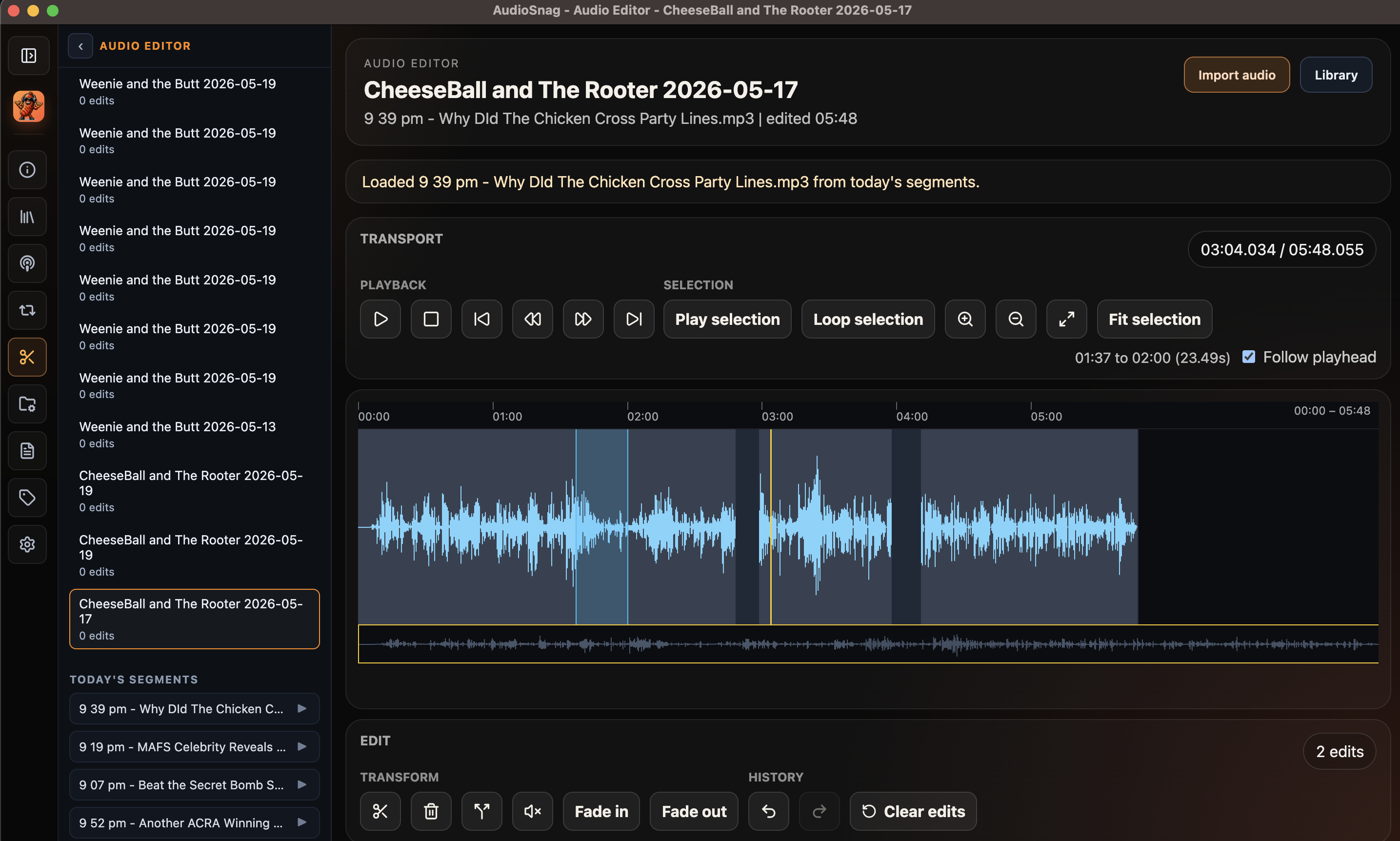
Trim, split, fade and silence directly on the waveform. Receive segments from PodSnag or ReplaySnag, do the cut, send the edited WAV back to the originating module. No DAW round-trip.
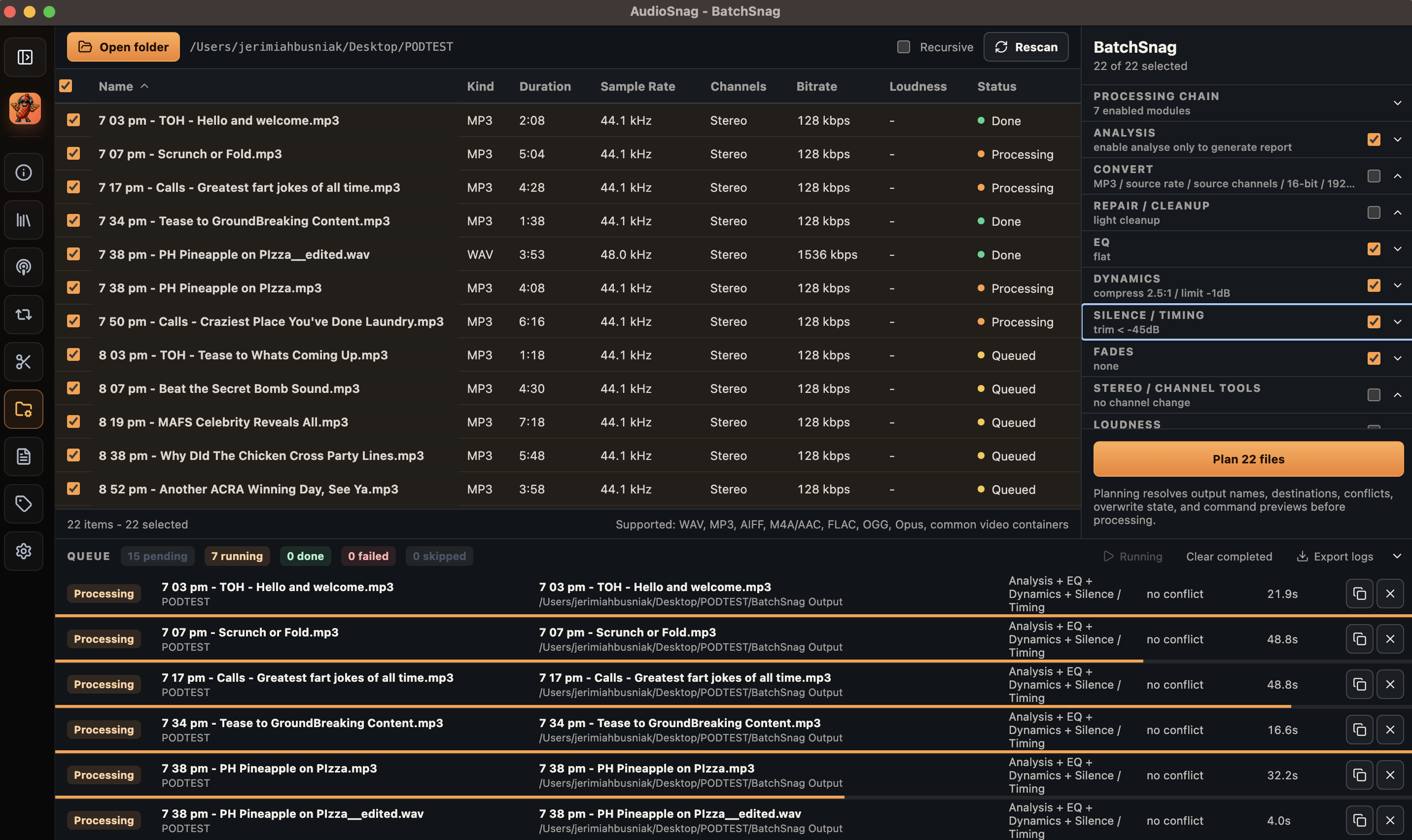
Point at a folder. Scan, analyse, convert, clean and rename — in queue. Loudness, peak, clipping and silence detection. EQ, dynamics, de-hum and trims. Big jobs without the desktop heroics.
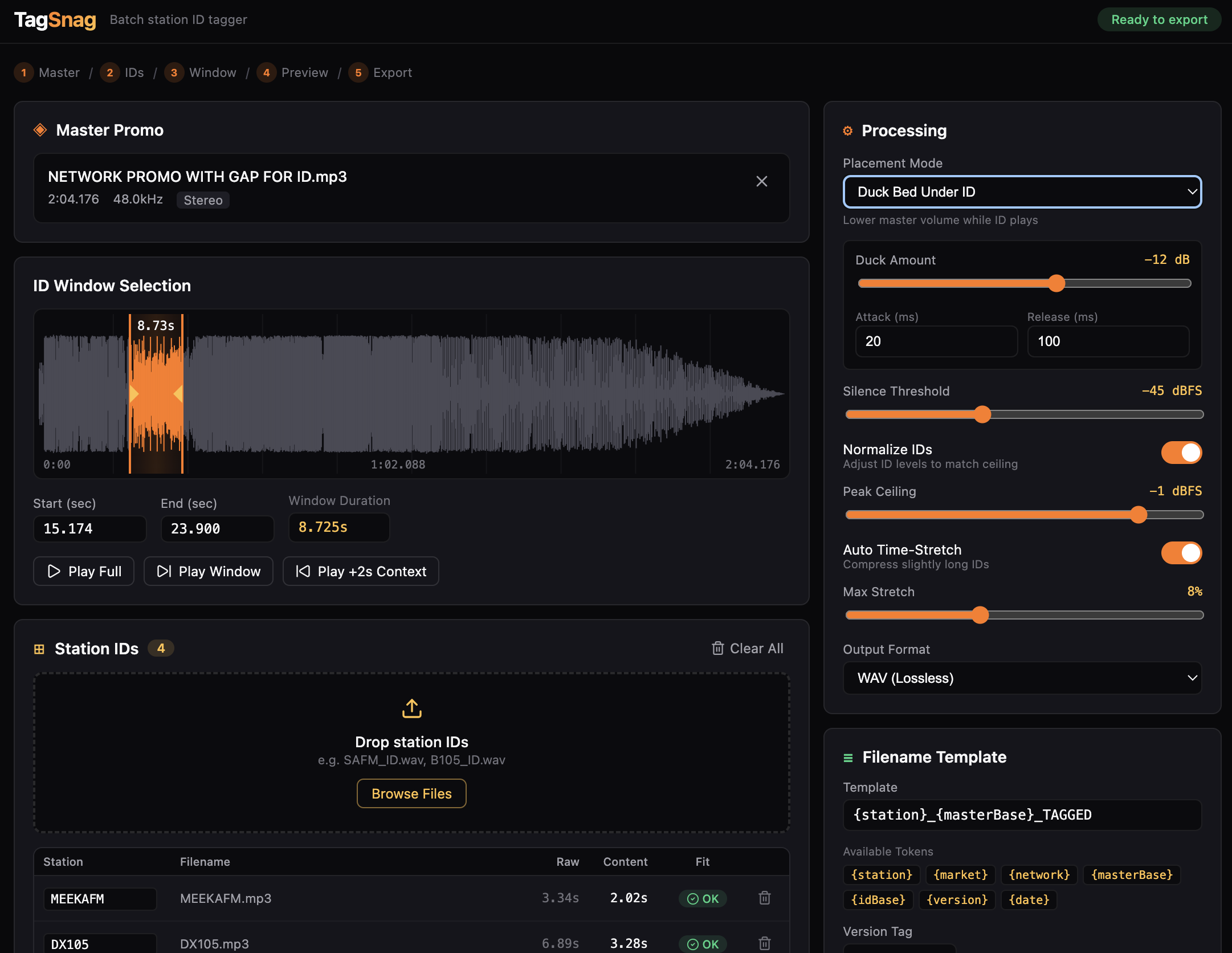
One master, many station IDs. Pick the ID window, duck the bed, normalise the IDs, preview the lot, then export named market versions ready for delivery. QC results on the way out.
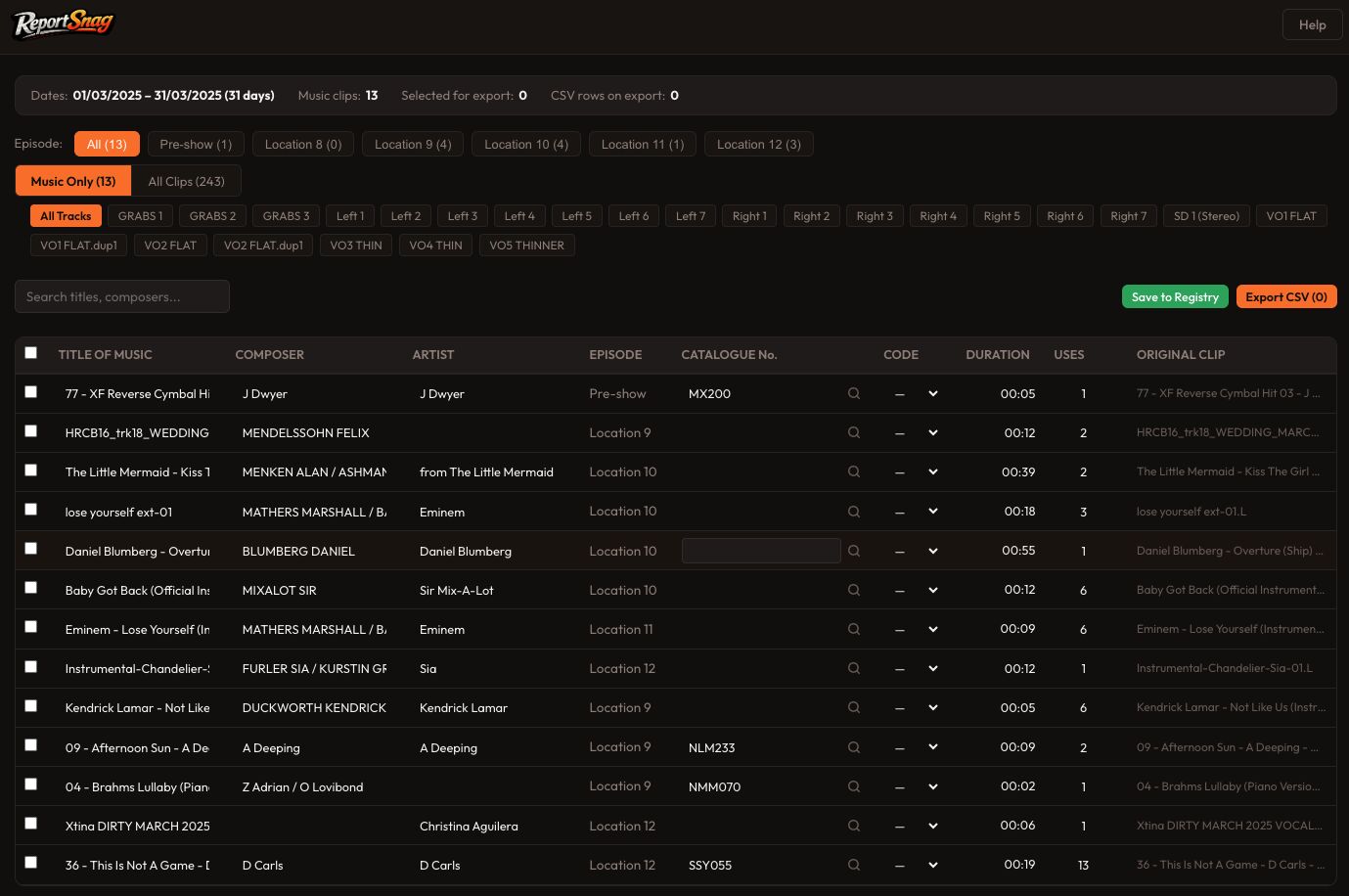
Import Pro Tools session text. Get a clean review table. Classify clips as music or not, edit composer / artist / catalogue, save to a local metadata registry, then export an APRA-ready CSV.
Big show audio, station file paths, local exports and daily handoffs all belong on the machine doing the work. No uploads. No staging. No "where did that bounce go" tab roulette.
Daily production chores are handled, so creatives can go back to creating. The Pro Tools rig is free for the work that actually needs taste.
The same intro bed, breaker set, sweeper rotation and export rules can be reused day after day. Set once, run forever.
Podcast, replay and editor output run through a single local export layer — same loudness, same trims, same naming, every day.
Top-of-break trim points, censor candidates, APRA classification — all opt-in, all reviewable. Producer judgement stays in the driver seat.
Drop the day's segments into the show's daily bucket. Shared across PodSnag and ReplaySnag.
Auto-trim heads and tails. AI-suggested top-of-break trims for review. Accept, adjust, ignore.
One source set, two deliverables. Tops, tails, breakers and rotations applied from the asset library.
Named, normalised, in the right folder. MP3 + WAV, ZIP or individual, every day the same way.
Ten pages of plain-English client documentation. Every module, every workflow, every export. Made for sharing with stakeholders who want to know exactly what AudioSnag Mac does before they sign anything.
One payment. One permanent AudioSnag serial. No account and no subscription. Activate once, then the core app keeps working offline. Optional cloud AI is protected by a fair-use allowance and your provider keys never live in the app.
Secure one-off checkout powered by Stripe. Price and tax are shown before payment.